Sequence#
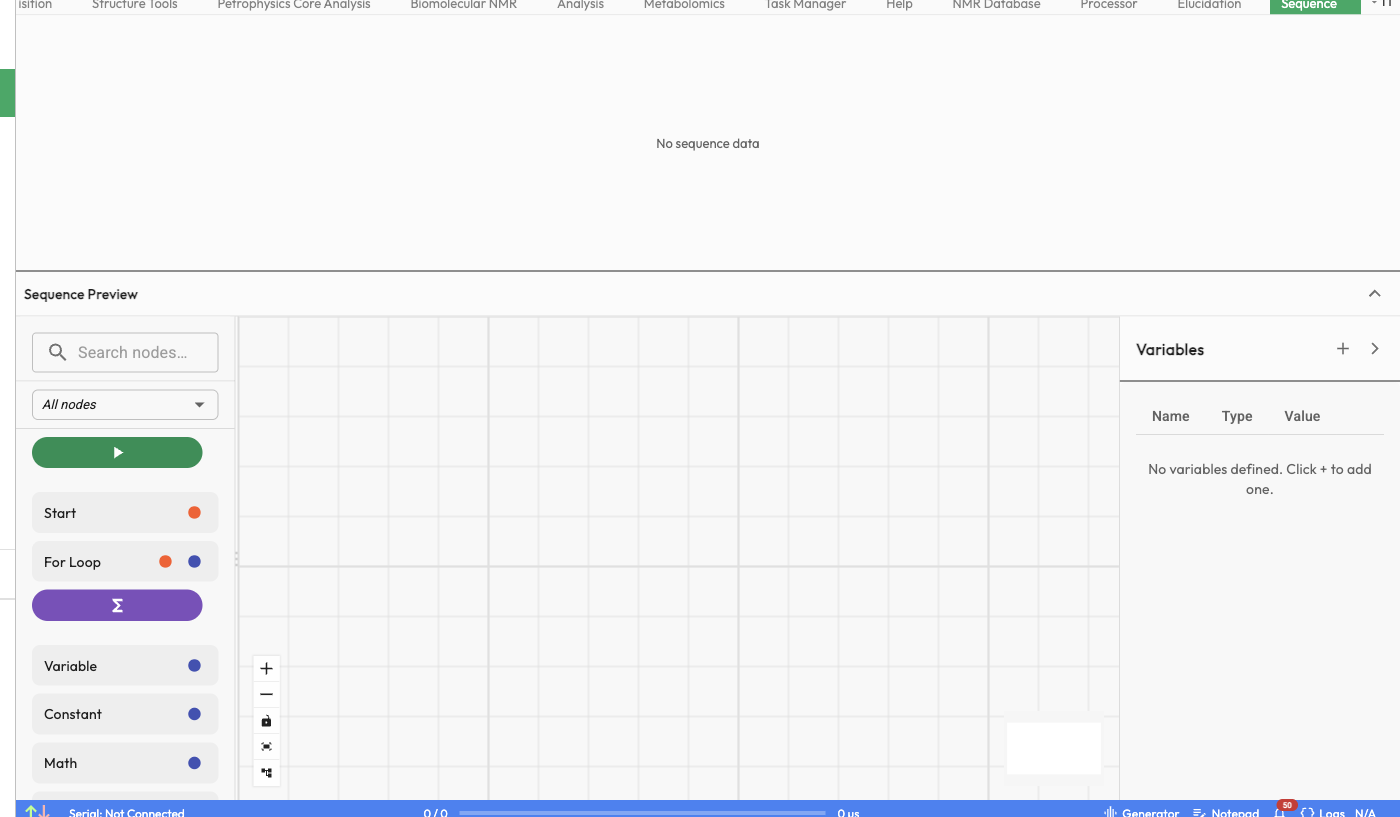
The Sequence page is where pulse sequences are defined. Build one as a graph of connected nodes, or write it as Python — the same sequence, two editors. The kind is chosen when you create the sequence: New in the app bar offers Graph Sequence and Code Sequence, and opening a saved sequence shows whichever editor it was made with.
A graph sequence is drawn as a timeline in the Sequence Preview panel at the top of the page: amplitude in mV against time in µs, with pulses, delays and acquisition windows in the shape a textbook would draw them. It updates as you edit, and the panel collapses when you need the room (use Show sequence preview to bring it back). A code sequence has no preview panel.
Sequences you save here appear in the experiment picker on the Acquisition page and in the Run Sequence node of the Task Manager.
Graph view#
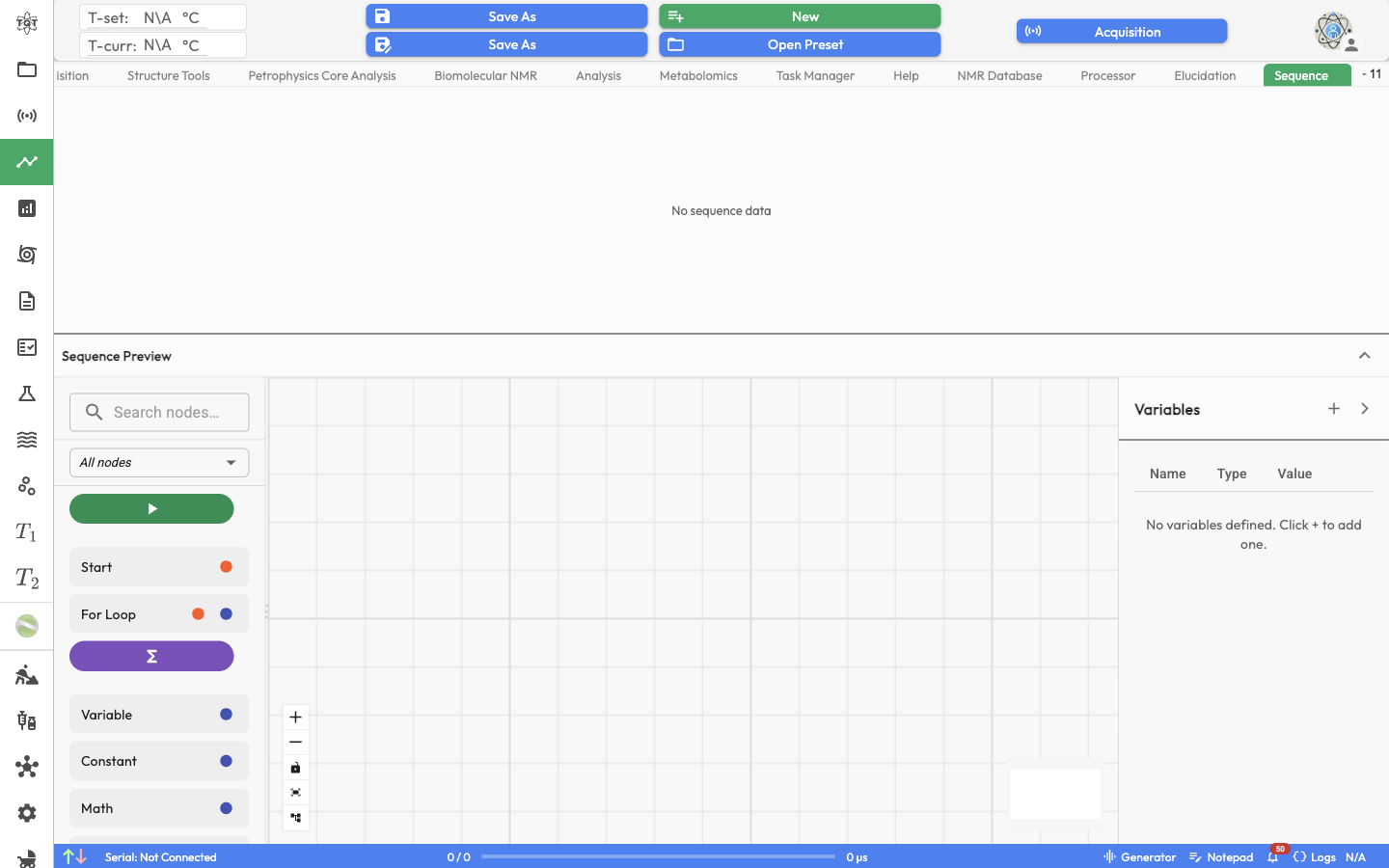
Drag nodes onto the grid and connect them. Execution follows the connections from the start node.
| Node | What it does |
|---|---|
| Program Start | The entry point. Every sequence needs one, and it connects to the first thing that happens. |
| Pulse | One RF pulse. Set its duration — in microseconds, or one of the tuned values found on the Home page — its amplitude and its phase. |
| Silence | A delay τ with no pulse and no acquisition, so the spins evolve. Set its duration. |
| ADC | Acquisition. Triggers sampling of the signal for the duration you give it. Usually placed after the pulses and delays whose response it is meant to catch. |
| For [Begin] / For [End] | Bracket a loop. Everything between them runs for the given number of iterations. |
| Repeater | Repeats a segment, with different variable values on each pass. Use it where a loop needs a parameter to change, such as a phase or a delay. |
| Math: Constant | A fixed value referenced elsewhere in the sequence. |
| Math: Variable | A named value that can change between iterations. |
| Math: Math | Arithmetic on constants and variables, for parameters derived from other parameters. |
Variables#
The Variables panel on the right of the graph editor holds named values that nodes can reference. The + in its header adds one; each row edits its name and value in place and has a delete button. The panel collapses with the rest of the sidebars (Show variables reopens it).
Define anything you will want to change without rewriting the sequence here — echo times, scan counts, delays — and reference the name from a node. A code sequence declares its values in the script instead.
Code view#
The code editor defines the same sequence in Python. It is the right choice when a sequence needs logic a graph cannot express: a loop whose bounds are computed, a fit run between acquisitions, a parameter written back to the device.
A language server runs against the editor, so you get completion, signature hints and error checking against the sequence API as you type.
The building blocks mirror the nodes:
Pulse(phase, duration)— an RF pulse. Phase is'x+','x-','y+'or'y-'; duration is in microseconds, andDeviceSettings.p90_usand its siblings hold the tuned values.Silence(duration)— a delay in microseconds.ADC(duration)— an acquisition window.
DeviceSettings exposes the current device parameters, so a sequence can be written against the instrument's tuned values rather than hard-coded numbers. The backend API reference documents the rest.
Pre-run validation#
Before a graph sequence runs, NucleI checks it against the connected instrument. The check runs when you press Start on the Acquisition page and before every Run Sequence step in a schedule or the Experiment Queue. A sequence that fails is not started, and nothing is sent to the instrument.
What is checked:
- Structure: a Start node, at least one operation connected to it, and an ADC node, since without one the run would record nothing. Every node must come from a loaded plugin and have parameter values it accepts.
- Instrument: the nodes belong to the connected instrument, and it has the capabilities and operations they need.
- Limits: each pulse, delay and acquisition window, the number of scans and the length of one scan must be within what the instrument accepts. Durations must be greater than zero.
- Phase cycling: the number of scans must be a multiple of 4.
- Loops: a For loop's first and last index must be whole numbers, and the loop must run at least once.
- Variables and Math: every variable a node uses must be defined, a Variable node must have a variable selected, Math nodes must not feed each other in a circle or give no number (a division by zero, for example), and inputs that need whole numbers must get them.
- Lab limits: on a Student / Operator profile, the experiment must be one the administrator approved, unchanged, with its parameters within the allowed ranges.
A refused run shows an error notification, “…” cannot run:, with the sequence's name and the first problem, for example "Phase cycling needs a multiple of 4 scans, but … asks for 6." If there are more problems it adds "…and 2 more problems; the editor highlights each node.", and the editor marks each node involved with its problem.
Code sequences are not checked in advance, because they build their operations only when they run.
Data nodes and sequence runs#
Constant, Math and Repeater nodes set the inputs they feed, and a For loop's bounds are worked out from the variables and Math nodes wired to them.
A sequence saved with an earlier version may run differently. When you open one that is affected, This sequence now uses its data nodes lists each node and input whose value will change; press Understood and check them before you run it.
A For loop's index is available only to the nodes inside that loop. Wired to a node outside it, it is refused as an undefined variable.
Experiment examples#
The sequences below ship with the app. Read them as templates for one of your own.
CPMG#
import numpy as np

NUM_SCANS = 1
ACQ = 16  # [us]
N_ECHO = 162  # Number of CPMG echoes
ECHO_TIME = 2000  # [us]
DECIMATION = 2  # [int] Number of CPMG Pulses skips (no ADC acquisition)

def build_sequence(acq: float, decimation: int,
                    n_echo: int, echo_t: float):

    p_90 = DeviceSettings.p90_us
    p_180 = DeviceSettings.p180_us
    et = echo_t / decimation

    decimation_sequence = [
        [Pulse("y-", 180), Silence(et - p_180)]
        for _ in range(max(0, decimation - 1))
    ]

    sequence = [
        Silence(100),
        Pulse("x+", 90),
        Silence(et / 2 - p_90 / 2 - p_180 / 2),
        Cycle(
            n_echo,
            [
                Pulse("y-", 180),
                Silence(et / 2 - p_180 / 2 - acq / 2),
                ADC(acq),
                Silence(et / 2 - p_180 / 2 - acq / 2),
                *[action for step in decimation_sequence for action in step],
            ],
        ),
        Silence(13),
    ]
    return sequence

def wobble(acquisition_time: float, n_scans: int, n_echo: int,
           decimation: int, echo_t: float) -> NMRSpectrum | None:

    amplitudes = []
    sequence = build_sequence(
        acquisition_time, decimation, n_echo, echo_t)
    seq_null = DeviceSettings.p90_us + 100

    for i in range(n_scans):
        pts_signal, _ = run_sequence(
            sequence, seq_null=seq_null, report=False)

        amplitudes.append(np.abs(pts_signal.amplitudes))

    signal = Signal(pts_signal.time_points / 1e3, np.mean(amplitudes, 0))

    start_i = np.abs(signal.amplitudes).argmax()
    signal.time_points = signal.time_points[start_i:]
    signal.amplitudes = signal.amplitudes[start_i:]

    return signal

# Fitting

def t2_exp_model(x, a, b, c):
    return a * np.exp(-x / b) + c

curve = wobble(ACQ, NUM_SCANS, N_ECHO, DECIMATION, ECHO_TIME)
plot(curve)

[scale, T2, y0], err = fit_model(curve, t2_exp_model)
print(f"{scale=}, {y0=}, {T2=}, {err=}")

annotate(Signal(
    curve.time_points,
    t2_exp_model(curve.time_points, scale, T2, y0)
), name="T2 Fit")

# save_custom(curve)
save(curve)
T1 inversion recovery#
import numpy as np

ACQ = 10  # [us]
ANTICIPATED_TIME = 10000  # [us] Curve Start time
N_POINTS = 16  # [int]
PERIOD = 750000  # [us] Curve End time
NUM_SCANS = 1  # [int]

def wobble(tau_2: float) -> NMRSpectrum | None:
    p_90 = DeviceSettings.p90_us
    p_180 = DeviceSettings.p180_us
    tau_1 = DeviceSettings.ring_us
    seq_null = p_90 + p_180 + tau_1 + tau_2 + 120

    sequence = [
        Silence(120),
        Pulse('x+', 180),
        Silence(tau_2),
        Pulse('x+', 90),
        Silence(tau_1),
        ADC(ACQ),
        Silence(tau_1),
    ]
    sig, spec = run_sequence(sequence, seq_null=seq_null)

    amps = np.abs(sig.amplitudes)
    return np.mean(amps[2:16])

def record():
    x_start = ANTICIPATED_TIME
    step = np.exp(np.log(PERIOD / x_start) / (N_POINTS - 1))
    sig_amps = []

    for _ in range(NUM_SCANS):
        xx, yy = [], []
        x = x_start

        for i in range(N_POINTS):
            xx.append(x / 1000)
            yy.append(wobble(x))
            x *= step

        sig_amps.append(yy)

    return Signal(np.array(xx), np.mean(sig_amps, 0))

def t1_exp_model(x, a, b, c):
    return a * np.exp(-x / b) + c

curve = record()
plot(curve)

[scale, T1, y0], err = fit_model(curve, t1_exp_model)
print(f"{scale=}, {y0=}, {T1=}, {err=}")

annotate(Signal(
    curve.time_points,
    t1_exp_model(curve.time_points, scale, T1, y0)
), name="T1 Fit")

# save_custom(curve)
save(curve)
Hahn-echo#
import numpy as np

N_SCANS = 4
print(f'Running simple Hahn-Spin-Echo experiment with {N_SCANS} scans')
# ECHO_TIME = DeviceSettings.echo_time  # Default = 2000 <=> 2t: 90-t-180-t
ECHO_TIME = 3500  # [us] Time between excitation pulse and peak of the signal
ECHO_WIDTH = 800  # [us] Width of echo (T2*) - use to capture whole Echo shape
# Use ECHO_WIDTH = 0 and ACQ = ECHO_WIDTH in case of echo peak detection
ACQ = 2 * ECHO_WIDTH  # [us] Acquisition time
# [Dwell time and Zero time]
ring_us = DeviceSettings.ring_us
seq_null = DeviceSettings.p90_us/2 + DeviceSettings.p180_us/2 + ring_us + 2

if (ECHO_WIDTH >= ECHO_TIME/2):
    ECHO_WIDTH = ECHO_TIME/2 - ring_us

sequence = [
    Silence(2),
    Pulse('y+', 90),
    Silence(ring_us),
    Silence(ECHO_TIME/2 - ring_us),
    Pulse('x+', 180),
    Silence(ring_us),
    Silence(ECHO_TIME/2 - ring_us - ECHO_WIDTH),
    ADC(ACQ),
    Silence(2),
]
# Pulse phaseAngle
#    'X+': Action.Pulse_0,
#    'Y+': Action.Pulse_90,
#    'X-': Action.Pulse_180,
#    'Y-': Action.Pulse_270
# Pulse Duration <=> flipNMRAngle
#   '90°': vals.p90_us,
#   '180°': vals.p180_us,
#   '270°': vals.p270_us,
#   '360°': vals.p360_us
#
sig, spec = run_sequence(sequence, seq_null=seq_null,
                        phase_cycle=False, n_scans=N_SCANS)
average_signal = np.mean([s.amplitudes for s in sig], axis=0)
plot(Signal(sig[0].time_points, average_signal), "signal")
save(average_signal)
#
# -- Advice: Find optimal duration of the Pulses in Duration Tab at Home Screen
print(f'p90 is set to {DeviceSettings.p90_us} us')
# print(DeviceSettings.frequency)